Why SharePoint Advanced Management is Key for Microsoft 365 Copilot
Are you rolling out Microsoft 365 Copilot? A question often raised is if your environment is ready to implement Microsoft 365 Copilot. The truth is, Copilot is only as good as the data it can access.
What do I mean? You've stored in several places like in SharePoint, OneDrive, Teams, and more. With Copilot reading and analyzing this data to generate insights, summarize documents, draft emails, and more to help you work better, the importancy for good governance is much higher.
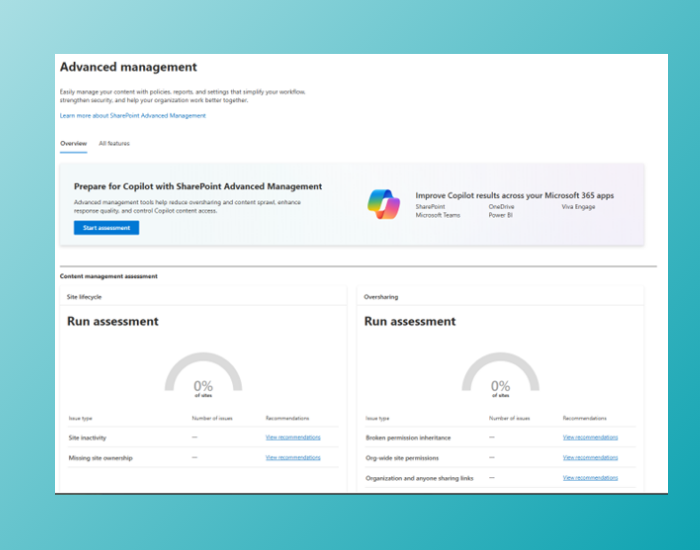
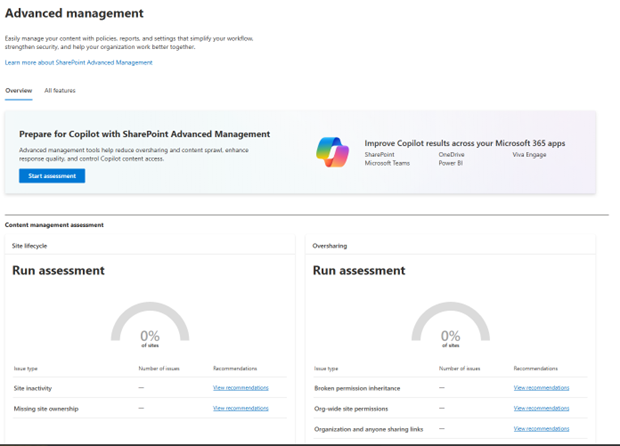
This is where SharePoint Advanced Managementcomes in. It’s a add-on to Microsoft 365 that provides powerful tools for governing and securing your SharePoint content. And it's available for free if you've a Copilot license active.
How Copilot uses your data
Before diving into this Sharepoint Advanced Management, it’s important to understand how Copilot works:
- It uses large language models (LLMs) to process your prompts.
- It connects to Microsoft Graph, which contains everything from across your Microsoft 365 tenant ans scopes this back to data you've access to.
If those files are badly managed, overshared, or outdated, your Copilot responses will reflect that. So, as you can understand, this can cause compliance risks and content chaos that come with it.
How to handle your SharePoint Governance
To get the most out of Copilot and protect your organization, SharePoint Advanced Management focus on different aspects to handle this data governance.
Preventing Content Sprawl
Content sprawl happens when files multiply across sites, libraries, versions and personal OneDrives. It makes it harder to find the right information and as Copilot can access this, Copilot can generate wrong answers based on old/incomplete files.
With SharePoint Advanced Management, you as admin can:
- Automatically expire unused sites.
- Monitor inactive sites.
- Use reports to discover unmanaged content
Content Oversharing
Copilot has no context beyond the permissions Copilot can access. If a document is shared too the whole organization,even unintentionally, its content might surface in Copilot prompts to users who might not have access to it.
SharePoint Advanced Management helps you with:
- Audit sharing links and their expiration.
- Block access to externally shared files or adjust visibility at scale.
- Use policies to restrict sharing behaviors.
The Lifecycle of your Content
Outdated, duplicated, or unverified content isn't chill for Copilot. Old plans, misaligned versions, or personal documents can easily make mistakes in AI responses.
SharePoint Advanced Management helps you by gaining insights into your data with reports and generated Copilot advise.
So should you use it?
SharePoint Advanced Management is part of SharePoint Premium offering and extends SharePoint Online with advanced capabilities specifically designed to solve the governance issues above. It is included when you buy and assign a Microsoft Copilot license to your users, so you can easily benefit from this tool!
Keep reading
11 Dec 2025
Your ultimate Copilot in Excel cheatsheet
We all know you can do a lot with Excel, add Microsoft 365 Copilot and suddenly you're becoming an expert in Excel without knowing every formula. I created a Copilot in Excel cheatsheet for you. I wrote this cheatsheet in Dutch too, see...
15 Sept 2026
Will Grok Be Available in Microsoft Copilot in the EU?
Microsoft is bringing Grok to Copilot, but the preview excludes the EU, EFTA and UK. Here is what the SpaceXAI subprocessor change means for IT.
11 Sept 2026
You Can Now Build Apps with Copilot Cowork and Copilot Studio
Have an idea for an internal app? Explore app building in Copilot Cowork and Copilot Studio, with a practical starter prompt and the checks IT should make first.
Comments
Loading comments…