This is the new Copilot Excel Hack you need to know!
If you're a fan of Excel and always looking for smart ways to save time, this one’s for you. Microsoft is testing a powerful new function that might just change the way we use Copilot in Excel. Start using =COPILOT function directly in Excel!
Copilot is now more than a analyst of your Excel, it can directly fill Excel fields just with a simple prompt. It’s still in beta and only available for those who activated the Frontier Program, but what it promises is exciting: context-aware AI directly in your cells.
What does =COPILOT do?
The =COPILOT() function allows you to send natural language prompts to Excel and get AI-generated responses back, without copy/paste, directly in your Excel. You can ask for summaries, explanations, or transformations of data in a given range.
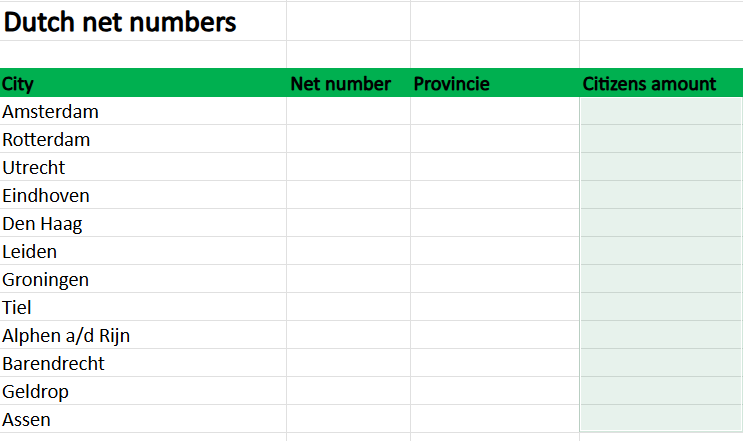
For example, below I have a list of different cities in the Netherlands and I need to have the net numbers, Province and amount of people living in the city:
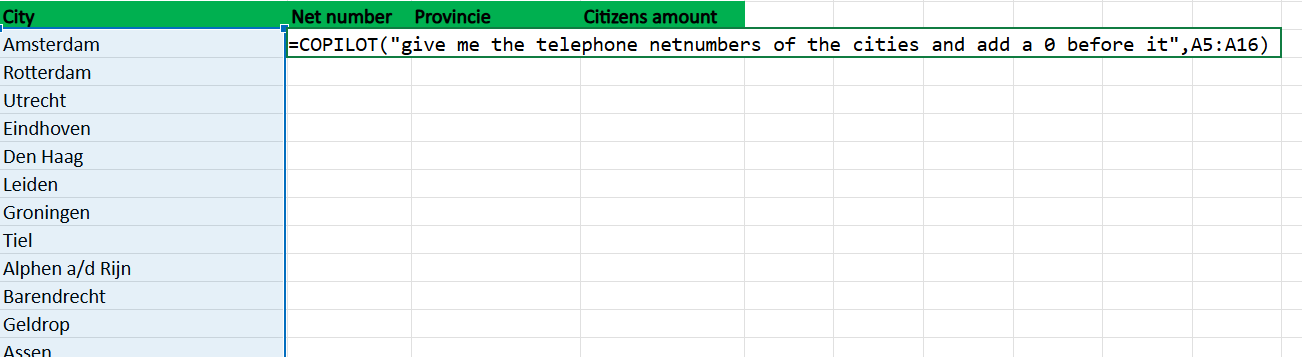
Let use the following prompt and fill it it one of the fields where you want to generate the data and see what this does:
=COPILOT("give me the telephone netnumbers of the cities and add a 0 before it",A5:A16)
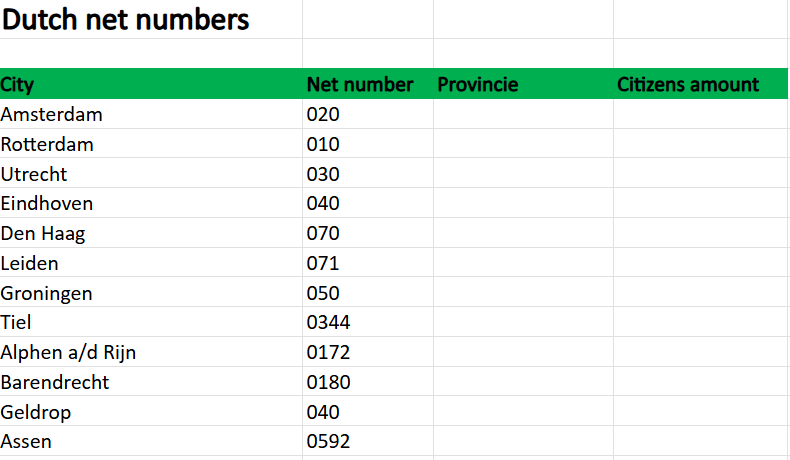
Copilot is giving me this result back immediately, without copying/pasting it from the chat.
Let's fill in the other fields I need to complete my Excel:
=COPILOT("give me the provinces of these places",A5:A16)
=COPILOT("give me the amount of citizens living in the cities",A5:A16)
And here is the result:
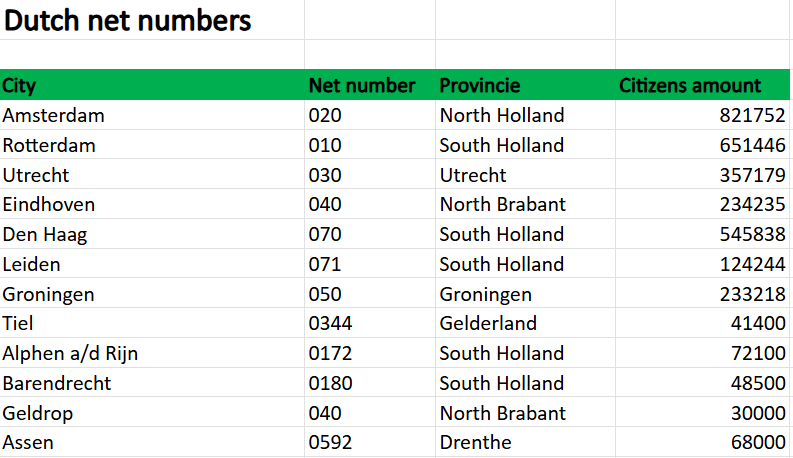
As you can see, all fields are filled now. I didn't search up the province or population of the cities, I just wrote a prompt and Copilot did the rest. Amazing new feature right?
Why this matters
While Copilot in Excel already lets you chat and generate formulas, the =COPILOT() function adds a programmable layer of intelligence.
Final Thougths
This is still in preview and beta, and you’ll need access to enable the Copilot Frontier Program in the Microsoft 365 Admin panel.
This might be the most exciting new Excel feature. While we’re still in early days, =COPILOT() is a glimpse into the future of how you can work with Copilot and Excel.
Are you already part of the Frontier program? I’d love to hear how you’re using this already. Let me know!
Keep reading
15 Sept 2026
Will Grok Be Available in Microsoft Copilot in the EU?
Microsoft is bringing Grok to Copilot, but the preview excludes the EU, EFTA and UK. Here is what the SpaceXAI subprocessor change means for IT.
11 Sept 2026
You Can Now Build Apps with Copilot Cowork and Copilot Studio
Have an idea for an internal app? Explore app building in Copilot Cowork and Copilot Studio, with a practical starter prompt and the checks IT should make first.
1 Sept 2026
Microsoft's Responsible AI Report: What You Still Need to Govern Yourself
Microsoft's 2026 Responsible AI Transparency Report explains its own governance work. Customers still need owners, approved use cases, evaluation and monitoring.
Comments
Loading comments…