Microsoft 365 Copilot & The EU Data Boundary explained
As a Microsoft 365 engineer myself working in the Netherlands, I regularly get the question:***"Is our data actually safe with Copilot?"***The good news is that Microsoft has been very clear about this.
With the Enterprise Data Protection (EDP), the boundaries for Copilot are aligned with the same standards we’ve trusted for years in Exchange and SharePoint. In this post, I’ll break down what these boundaries mean for EU organizations and how Copilot handles your data just like any other Microsoft 365 app.
What is this Enterprise Data Protection (EDP)?
Enterprise Data Protection (EDP) is the "safety net" for your organization's data. It ensures that when you use Microsoft 365 Copilot, your prompts and the resulting responses are covered by the Microsoft Products and Services Data Protection Addendum (DPA).
Essentially, Microsoft acts as a data processor. This means:
- Your prompts, responses, and data accessed via Microsoft Graph are never used to train Large Language Models.
- Your data is encrypted both at rest and in transit.
- Your data remains stays within your tenant.
This is the most important check for most compliance officers. It treats an AI prompt with the same level of confidentiality as a email send in Outlook.
The EU Data Boundary for Copilot
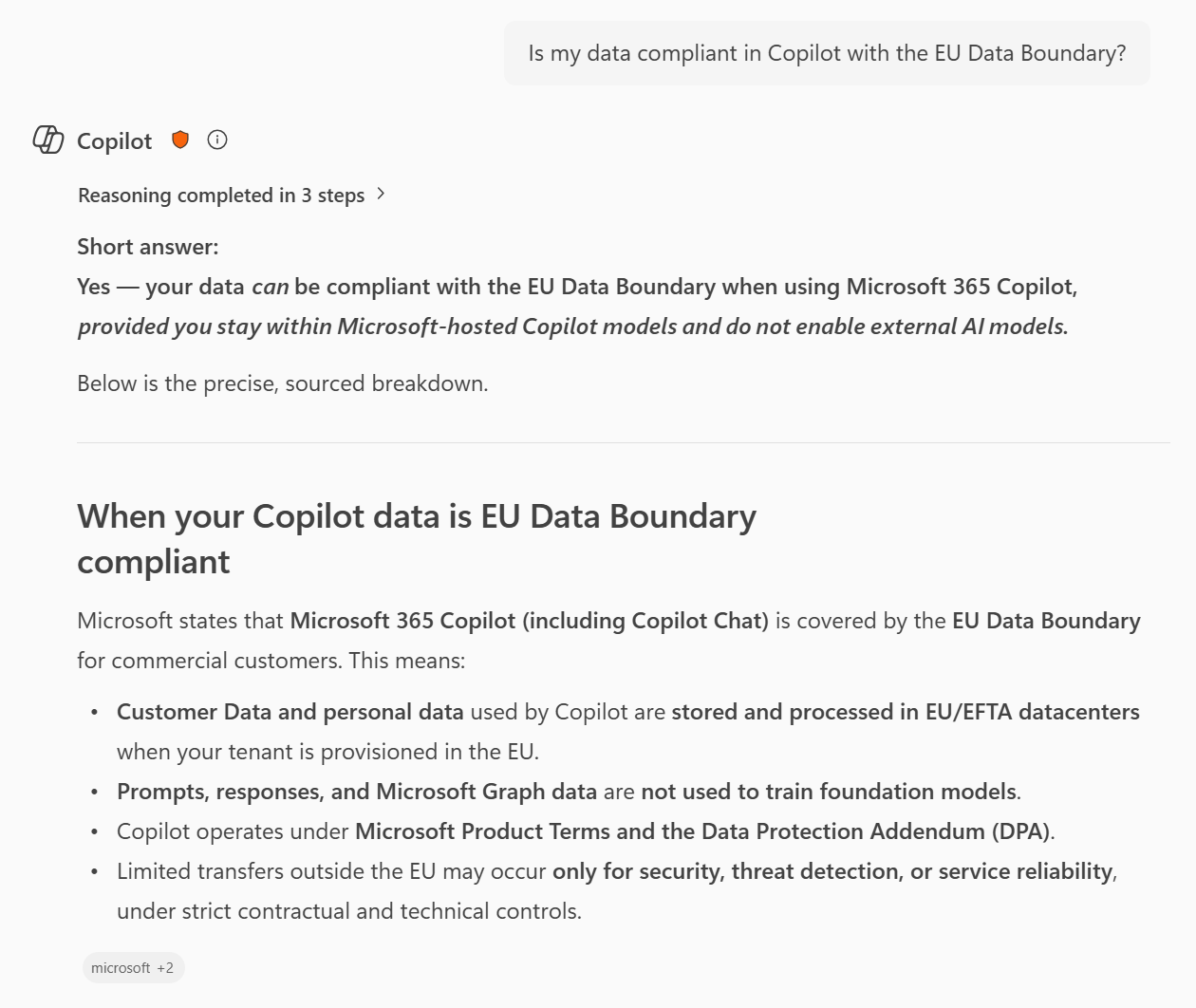
For organizations in the European Union, data residency is often a big topic in companies. Microsoft 365 Copilot is integrated into the EU Data Boundary.
This means that for EU customers, Microsoft stores and processes your customer data within the EU. Whether you are summarizing a document in Word or drafting an email in Outlook, that data stays within the regional boundaries you expect.
You decide what Copilot can see
One common fear is that Copilot will "leak" sensitive information to users who shouldn't see it. However, Copilot respects the identity model already present in your tenant:
- If a user doesn't have access to a SharePoint site, Copilot cannot see it either.
- It inherits your sensitivity labels and data loss prevention policies in Purview. If a file is marked as confidential, Copilot treats the data with that level of restriction.
This is why content Oversharing is a risk you need to manage beforerolling out Copilot. If you've unintentionally shared a document with the "whole organization," Copilot will find it. I highly recommend using tools like SharePoint Advanced Management to audit these links before going live.
What about web searches?
Sometimes Copilot needs to find information over the internet to give you the most recent information.
When Copilot performs a web search:
- The query is anonymized for the search.
- It is sent to the Bing search service via a secure connection.
You can find more of example prompts here.
Is it ready for the EU?
Yes, Microsoft 365 Copilot is simply another window into your existing Microsoft 365 data. It doesn't bypass your security; it lives within it.
If your organization already trusts Microsoft 365 for GDPR compliance and data residency, Copilot fits right into that existing framework. The boundaries are clear: your data is your data.
Keep reading
15 Sept 2026
Will Grok Be Available in Microsoft Copilot in the EU?
Microsoft is bringing Grok to Copilot, but the preview excludes the EU, EFTA and UK. Here is what the SpaceXAI subprocessor change means for IT.
11 Sept 2026
You Can Now Build Apps with Copilot Cowork and Copilot Studio
Have an idea for an internal app? Explore app building in Copilot Cowork and Copilot Studio, with a practical starter prompt and the checks IT should make first.
1 Sept 2026
Microsoft's Responsible AI Report: What You Still Need to Govern Yourself
Microsoft's 2026 Responsible AI Transparency Report explains its own governance work. Customers still need owners, approved use cases, evaluation and monitoring.
Comments
Loading comments…